I get this question all the time: “Is it really worth spending on an Apple TV when I already have a smart TV?” Let’s break it down together—no tech jargon, no fluff, just real talk.
What Makes Apple TV Different?
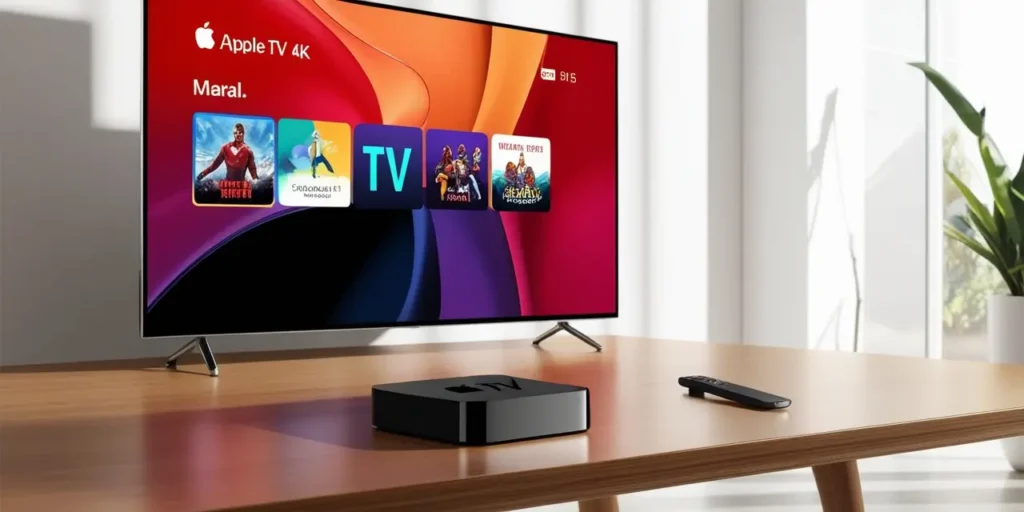
Apple TV isn’t just another streaming box like Roku or Fire Stick. It’s smoother, faster, and deeply tied to the Apple ecosystem. If you own an iPhone, iPad, or Mac, you’ll feel right at home. AirPlay, iCloud Photos, and Apple Arcade? They all click perfectly.
But here’s the thing—if you’re not in the Apple world, some of its magic fades.
Price Check: Is It Too Expensive?
The latest Apple TV 4K model starts around $129 to $149, depending on storage (64GB or 128GB). That’s pricier than a Fire Stick or Chromecast, which you can snag for under $50.
So why pay more? Honestly, it’s about performance and longevity. Apple TVs are known to last for years with regular software updates—something most budget streamers don’t promise.
Streaming Quality That Feels Premium
If you’re into 4K movies with HDR10+, Dolby Vision, and Dolby Atmos sound, Apple TV shines. It feels almost “cinematic” compared to cheaper devices that sometimes struggle with buffering or dull colors.
What About Apple TV+?
Apple TV+ is Apple’s own streaming service, with shows like Ted Lasso and Severance. But here’s the catch—it’s not included with Apple TV forever. You’ll pay about $9.99/month after any free trial.
And yes, you can still use Netflix, Prime Video, Disney+, and all the usual suspects on Apple TV. No limits there.
Do I Need It If I Have a Smart TV?
Maybe not. If your smart TV is fast and has all the apps you need, you’re fine. But if you hate clunky menus or slow updates, Apple TV feels like a breath of fresh air. I’ve seen old TVs feel brand new just because of this tiny box.
Remote: Love It or Hate It?
The Apple TV remote is a mixed bag for some people. It’s sleek, touch-sensitive, and voice-enabled with Siri. Personally, I find it way better than the button-heavy Roku remote.
For Gamers and Apple Fans
Apple Arcade works on Apple TV, turning it into a mini gaming console if you pair a controller. If that’s your thing, this is a bonus you won’t get on Fire Stick.
Final Answer: Should You Buy It?
- Yes if you’re an Apple user who wants buttery-smooth streaming, high-end picture quality, and a device that just works for years.
- No if you just want cheap streaming and don’t care about the extras.
It’s like comparing an iPhone to a budget Android. Both do the job, but one feels… well, nicer.
My Take: If you already spend hours binge-watching shows or have a 4K TV, investing in Apple TV feels worth it. But if you’re casual and just need Netflix, a Fire Stick will save you cash.
Quick FAQ
- Does Apple TV support Netflix and Disney+? Yep, and pretty much every major app.
- How much storage do I need? 64GB is fine unless you plan to download lots of games.
- Does it work with Android phones? Kind of, but you lose some perks like AirPlay.
- Hidden costs? Just subscriptions—no surprises.