From soccer practice to Costco runs, this smart tool made my week smoother (not perfect—but better).
I’ll admit it: I didn’t expect Notion AI to help with the chaos of family life. I’d used it for work notes and content planning, but between school drop-offs, meal prep, bills, and cleaning? That felt way too… human for a digital app.
Still, I was overwhelmed and figured I had nothing to lose. So, one Sunday night, I opened Notion and gave its AI assistant a real challenge—manage my household like a mini home manager.
Here’s what worked, what flopped, and why I think it’s actually worth trying if your brain feels like 17 browser tabs are open all the time.
🧩 Step One: Set Up a “Home Hub” in 10 Minutes
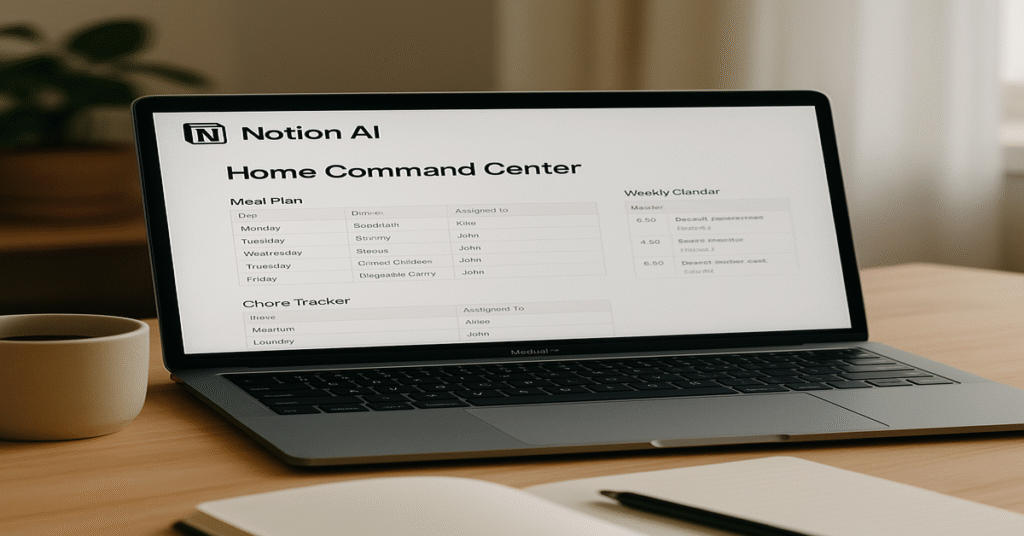
I started with a simple dashboard in Notion titled “Family Command Center”. No design skills needed—I just listed out our weekly stress points:
- Meal planning
- Grocery shopping
- Chore schedules
- School events
- Monthly bills
- Weekend activities
Then I asked Notion AI to help build out each section. I literally typed, “Make me a family meal planner for the week” and it gave me a drag-and-drop table with recipes, ingredients, and prep time.
Honestly? It was way more helpful than I expected. And it didn’t just dump a list—it asked questions to personalize it:
“Do you prefer quick meals under 30 minutes?”
“Do you want to include packed lunches?”
It felt less like a tool and more like a personal assistant who’d done this before.
🧹 Chores Were Finally… Manageable
We’re a family of four. Keeping up with the dishes, laundry, and cleaning usually ends in someone (me) doing 80% of it.
With Notion AI, I created a Chore Tracker that auto-rotated tasks. Every week, it adjusted the list based on who completed what. It wasn’t magic—but it kept things fair and clear.
Surprisingly, my kids (ages 9 and 13) loved checking off their tasks digitally. They even started racing to finish before Sunday night. Is this what winning feels like?
🍽️ Dinner Planning Didn’t Suck
Dinner is where I normally spiral. We’re not big takeout people, but deciding what to cook every day felt like a second job.
I typed into Notion AI:
“Plan five healthy dinners for a family of four with two picky kids.”
Boom—menu generated. It gave me a week’s worth of meals, prep time, and even combined the ingredients into a shopping list. I synced that with my Costco run and suddenly… less chaos.
And when I asked it to skip mushrooms (my daughter’s nemesis), it remembered. Score.
🏫 No More Missed School Stuff
Notion AI also helped me stay on top of school calendars, half days, and that one-off pajama day I always forget.
I linked our Google Calendar, and the AI gave me a weekly snapshot:
“This week: soccer practice (Tues), library day (Thurs), dentist appt (Fri @ 10am).”
It was short, useful, and saved me from embarrassing “wait, what?” moments.
💵 Budgeting That Didn’t Feel Like Punishment
I’m not great with numbers. But I gave Notion AI our basic monthly budget (income, bills, groceries, subscriptions), and it turned that into a clean dashboard.
Even better, it gently pointed out patterns like:
- “You’ve spent $120 on coffee shops this month.”
- “Consider canceling that unused fitness app.”
No judgment, just smart insights.
❌ What Didn’t Work (Because It’s Not Perfect)
Okay, real talk—Notion AI isn’t flawless.
- No voice input yet. I still had to type everything.
- Mobile gets a bit laggy if your page is too loaded with tables/images.
- Generic prompts like “plan my week” aren’t helpful—you have to be specific, like “Plan a week for two working parents, one toddler, three dinners at home.”
But honestly, these were small bumps compared to how much mental clutter it cleared.
🧠 Final Verdict: Notion AI = Digital Mom Brain Assistant?
If you’re already juggling 50 things and still wondering what’s for dinner at 6pm—Notion AI is worth trying.
It won’t magically make your home Pinterest-perfect. But it will help:
- Save time
- Reduce decision fatigue
- Create structure that you can tweak anytime
You don’t need to be a techie. Just open it, type what you need, and let it assist.
✅ Quick Tips for First-Timers
- Start small. Begin with just a meal planner or a simple to-do list.
- Be specific in your prompts. Think: “Plan my week with 2 kids, full-time job, and errands”
- Don’t over-design. Plain works just fine.
- Try the free version first. You’ll know within a week if it’s helpful.